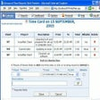
Create professional, customizable Gantt charts in Excel quickly with intuitive tools and effortless printing
Create professional, customizable Gantt charts in Excel quickly with intuitive tools and effortless printing
Vote (2 votes)
Program license Free
Developer MacroGantt
Version v1.20
Works under Windows
Vote
(2 votes)
Developer
MacroGantt
Works under
Windows
Program license
Free
Version
v1.20
Pros
- Integrates directly with MS Excel
- Quick and intuitive setup process
- Customizable charts with dependency links
- Automatic print formatting and PDF export
- Clear progress and today markers
- Free to use
Cons
- Not suitable for very large or highly complex projects
- Requires MS Excel (2010 or newer)
- No standalone version outside Excel
Create and manage professional Gantt charts directly in MS Excel.
Overview
MacroGantt is a project management add-in designed for MS Excel that enables efficient creation, formatting, and printing of Gantt charts. It is tailored to support project managers, consultants, engineers, developers, and architects, particularly those handling projects that are not excessively large or complex. By integrating with Excel, MacroGantt provides a familiar interface to quickly build and present timelines for a wide range of projects.
Key Features
MacroGantt stands out as a practical solution for those who want to leverage Excel’s flexibility while gaining access to specialized tools for project scheduling. Charts are built through a guided process involving scale selection, data entry, visual customization, and print setup, making the workflow straightforward for both beginners and experienced users.
- Adjustable Time Scale: Switch between year, month, and day views for precise scheduling.
- Fast Data Entry: Create tasks using either start-and-duration or start-and-end inputs, minimizing manual calculations.
- Milestone and Task Management: Add or delete milestones and tasks with ease to keep your chart up-to-date.
- Dependency Visualization: Link tasks directly within the chart, displaying dependencies such as “start after,” “start with,” or “end with.”
- Progress Tracking: Show percentage completion for individual tasks using clear visual markers.
- Customizable Appearance: Alter colors, adjust line styles, and include weekend markers to suit the visual style and clarity needed for your presentations.
- Today Marker: Place a dynamic marker representing the current date for real-time project tracking.
- Efficient Printing and Export: Benefit from automatic formatting optimized for A4 or A3 pages, and export charts to PDF for sharing or archiving.
- Integrated Help: Access an in-app help button and a linked tutorial video to assist with onboarding and troubleshooting.
Usability and Performance
MacroGantt offers an interface that takes advantage of Excel’s existing strengths. By operating within Excel (minimum version 2010 required), users avoid the learning curve of unfamiliar project management tools, making it a practical choice for those already comfortable with spreadsheets. The process is streamlined into four steps, emphasizing simplicity and reducing the time typically required for Gantt chart creation.
Tasks and milestones can be managed with single clicks, and the customizable design options mean charts can quickly be tailored for professional presentations. The automatic print formatting removes much of the tedium associated with scaling and aligning content for physical or digital distribution. Exporting to PDF adds another layer of portability and sharing convenience.
Suitability
MacroGantt is particularly suited to small to medium-sized project planning. For users managing a handful of concurrent tasks and milestones, the add-in provides all the necessary features without overwhelming the interface. However, for large-scale or deeply linked industrial projects with hundreds of dependencies, a specialized project management tool may be preferable.
Compatibility is limited to Microsoft Excel (2010 or later), which ensures strong integration, though users of alternative spreadsheet software will not be able to use this add-in.
Conclusion
MacroGantt makes project timeline visualization accessible from within Excel, saving time and presenting results in a format colleagues and stakeholders can easily understand. While it might not accommodate the most complex project plans, its balance of usability, features, and professional output makes it a valuable resource for many everyday project management needs.
Pros
- Integrates directly with MS Excel
- Quick and intuitive setup process
- Customizable charts with dependency links
- Automatic print formatting and PDF export
- Clear progress and today markers
- Free to use
Cons
- Not suitable for very large or highly complex projects
- Requires MS Excel (2010 or newer)
- No standalone version outside Excel